|
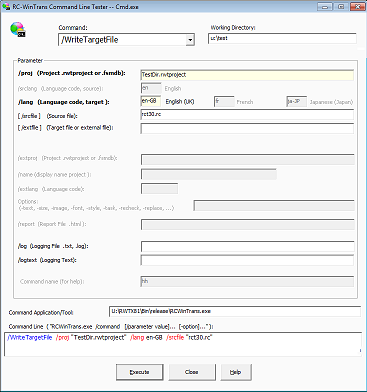
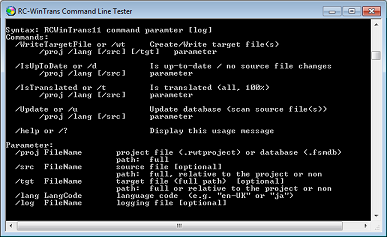
Use the Command Line Editor application to compose and execute a command line command with command parameters and options. The command line can be executed directly whereby the editor is started using Windows' "Cmd.exe" tool. |

Use either of the following to start the Command Line Editor:
– |
Tools menu | Command Line Editor command (in RC-WinTrans) OR |
– |
Windows "Start" menu entry. |